Free
Build a habit of keeping track.
- Voice and typed captures
- Manual entries and saved history
- 5 reconstructed work dates per month
- 1 new work report per month

A closer look at the tools that help you capture, organize, review, and share your work from your iPhone.
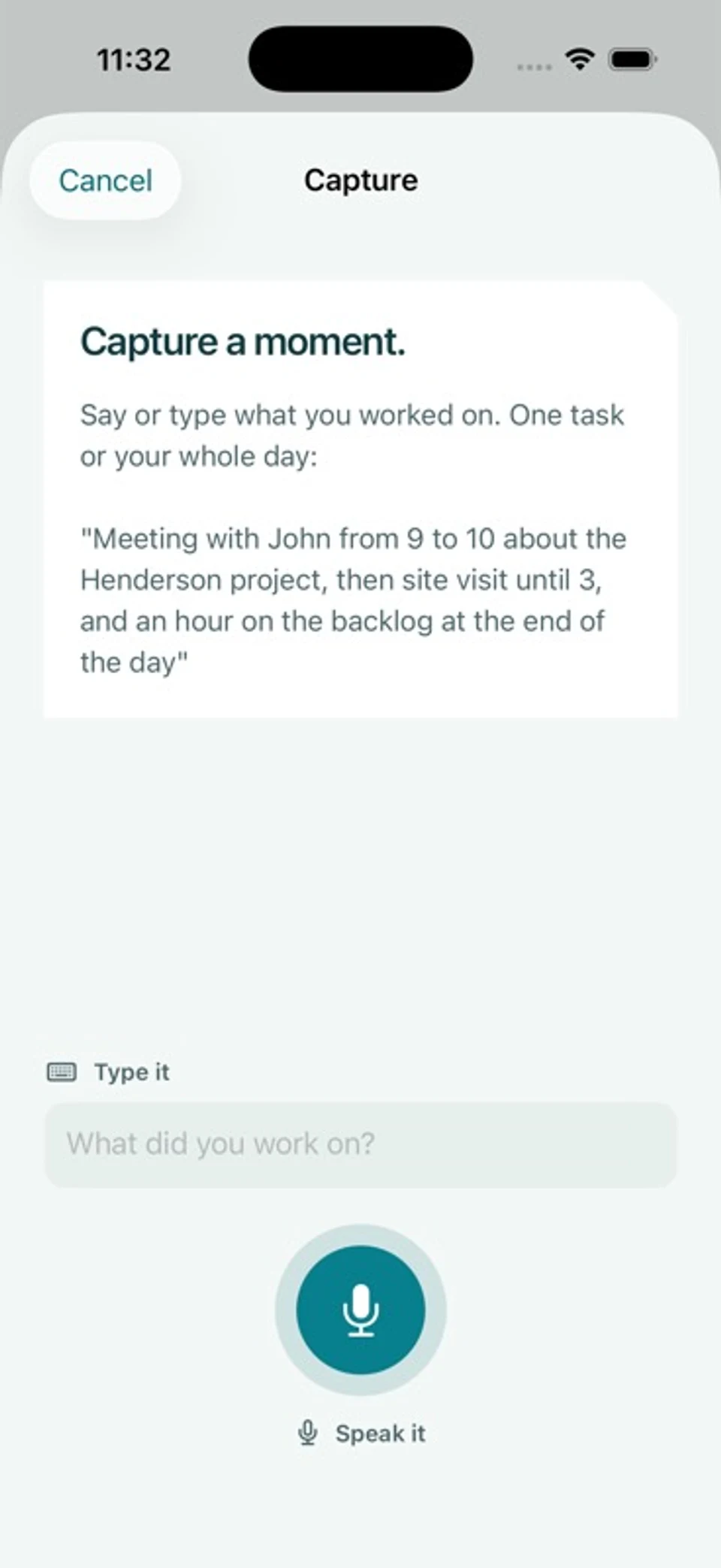
Speak a short note or type what happened. Every capture takes you to an editable transcript before you save, so you can correct names, times, and details.
Plus and Pro include optional AI revision. Suggestions stay separate from your input until you choose to use them.
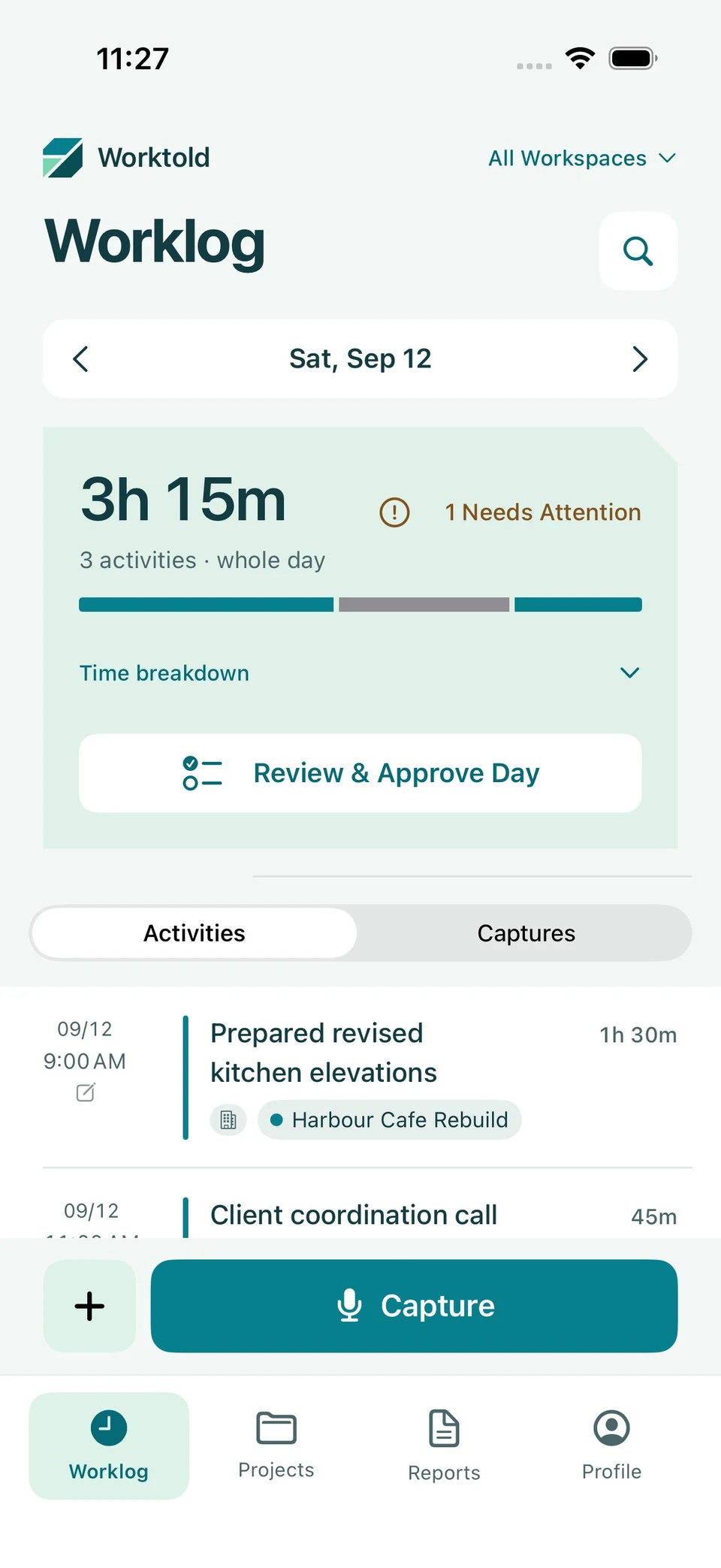
Worklog brings activities across your workspaces into one timeline. Check project assignments and time, resolve items marked Needs Attention, and approve the day before reporting.
The original capture gives you context for your work. Manual entries and edits are available when you need them.
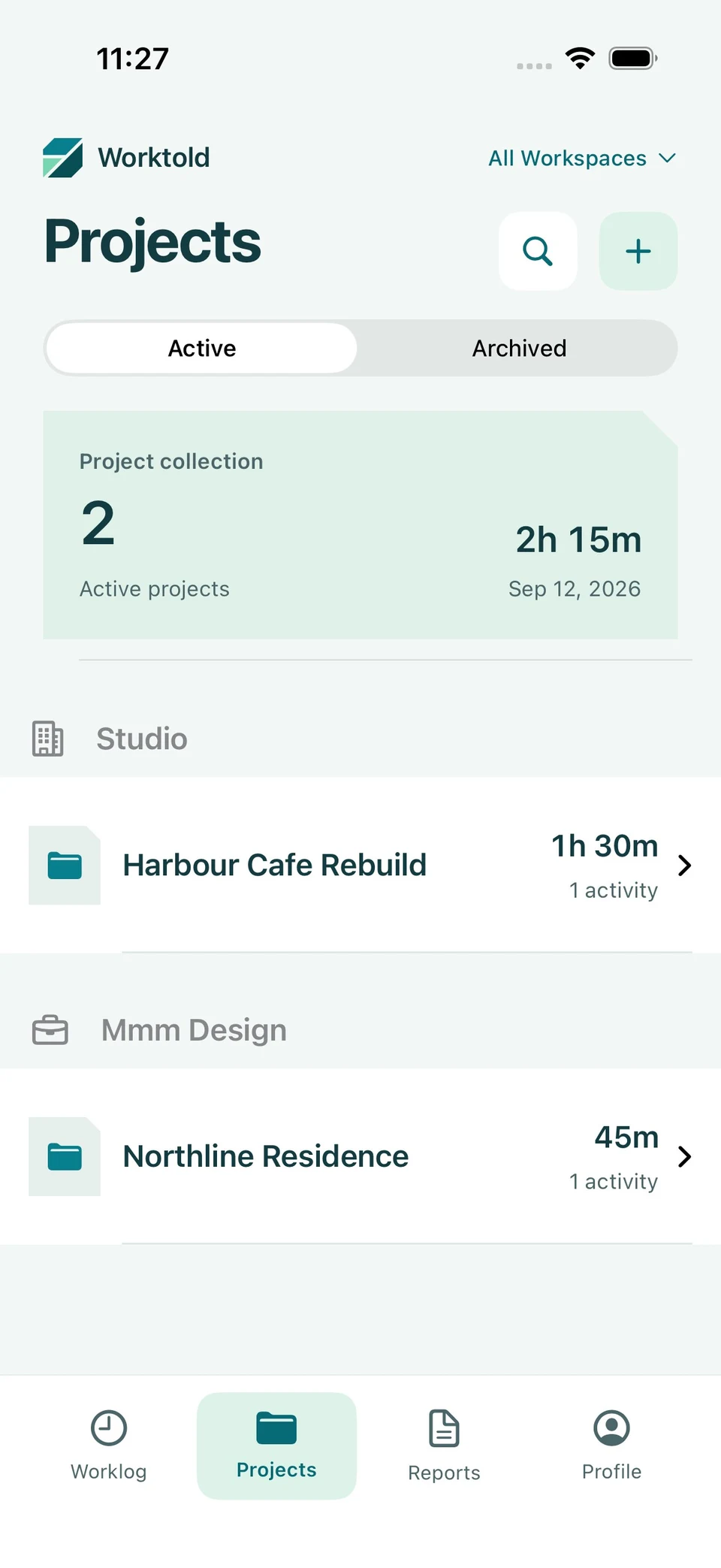
Organize work into projects and sub-projects. Personal, employee, and contractor workspaces help you distinguish the different kinds of work you do.
Browse active and archived projects, search your work, and use separate filters in Worklog, Projects, and Reports.
Create daily or weekly work reports from approved days. Review the summary and task breakdown, then export a PDF. Plus and Pro add email delivery.
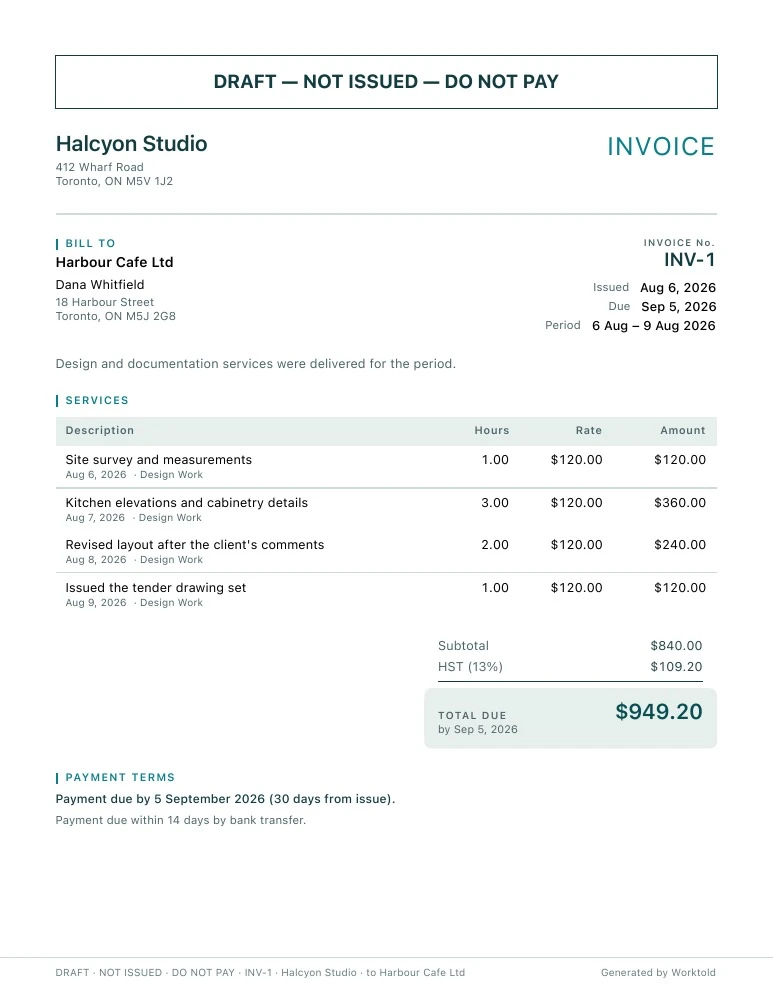
For client work, Pro adds invoices: select a client, a period, and the tasks to bill. Apply your rates and branding, review the draft, and finalize it when it’s ready.
Finalized invoices track the hours they’ve billed. Worktold computes amounts; AI helps draft the prose.
Worktold is in development. These are the current plan capabilities; launch pricing and availability will be confirmed in the App Store.
Build a habit of keeping track.
Make reporting part of your routine.
Bring your client work into the picture.
Plans apply to your account across workspaces. Existing work and finalized documents are preserved when you downgrade. Features shown are from the current development build.
Worktold is coming to iPhone.